Agilebase is delivering what you asked for
New features are rolling out soon

Following our big Learner Progression release last month, we’ve taken some time to round things out a bit and make some features much easier for learners to get to grips with (as well as being quicker to use for seasoned developers).
Creating field visibility rules
The first improvement is the ability to set visibility rules on fields in a much less convoluted way.

A Software Architect Neil, from Lewis Pies, said recently about creating visibility rules
“I guess this is a very tricky one, the way to do this is a bit awkward at the moment. I do respect you can have some complicated filters but making a view per condition seems to be a little long-winded”
A good point. So what we’ve done is add the ability to create visibility rules directly from the field editing panel. There’s no need to move away, create a view, add the visibility filters then assign that view to the field. Now you just add a visibility rule directly to the field.
Behind the scenes, it still creates a view for you, so the ability to make really complex, powerful rules isn’t lost – you can still navigate to the relevant view and make changes manually, e.g. if you want field visibility to depend on a more complex calculation.
Adding a field to multiple views
We recently introduced the ability to remove a field from many views simultaneously, saving time when deleting a field.
We’ve now made it possible to add an existing field to many views.
To do that, pin all the views to which you want to add a field. You can pin single views by clicking on the pushpin icon when editing them or multiple ones at once from the ‘name and views’ panel of a table when editing it.
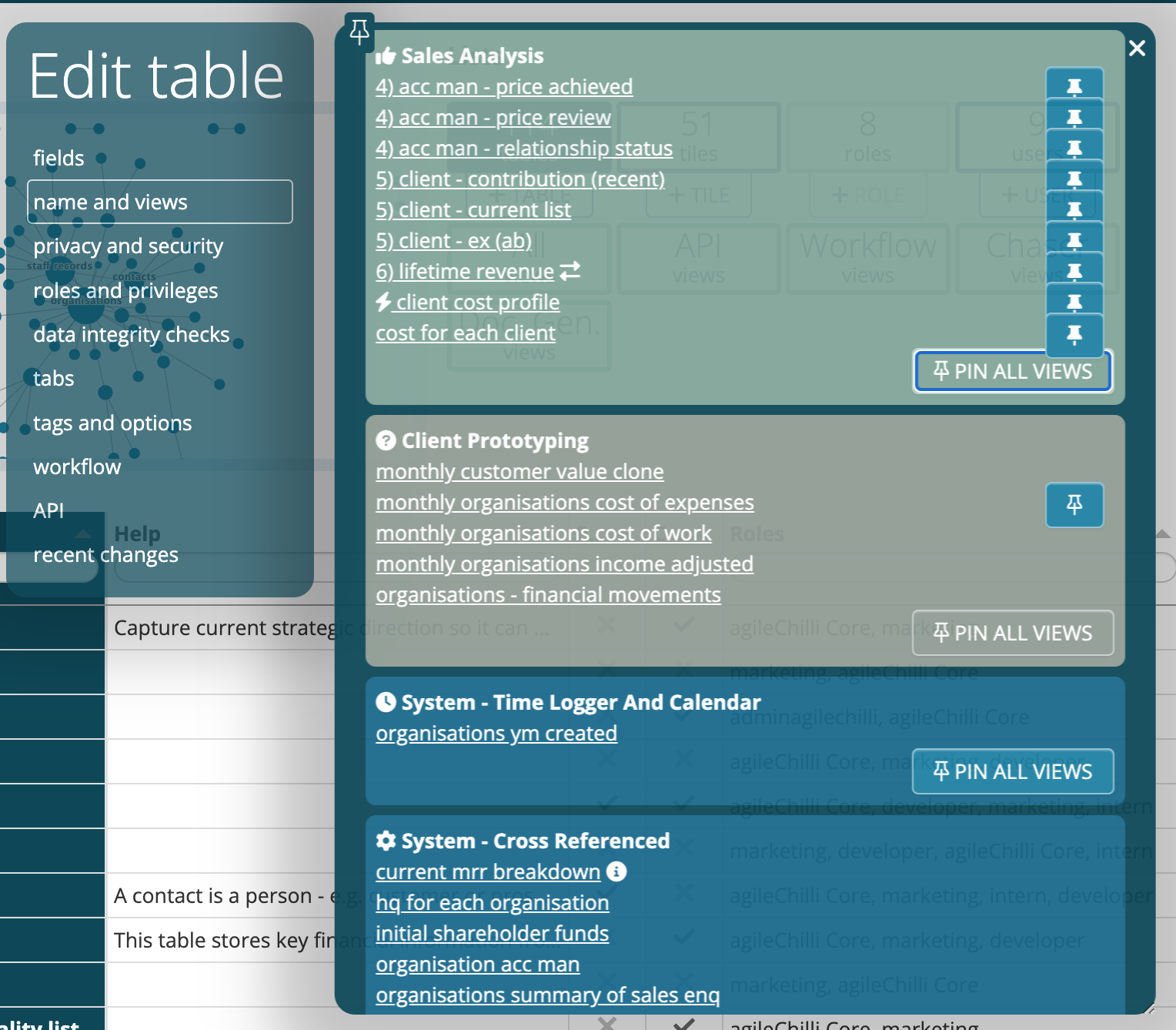
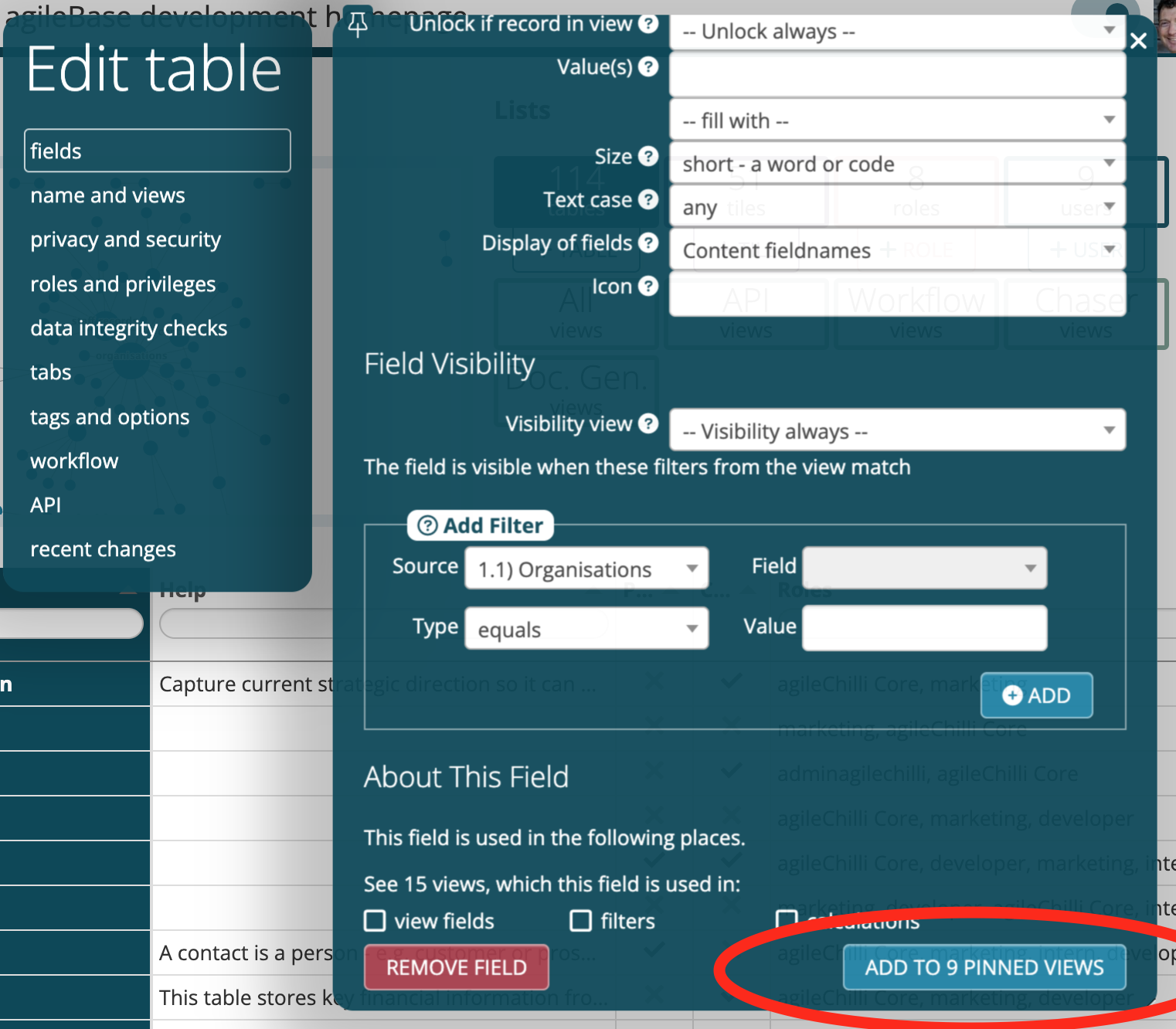
Then from a table, edit the field you want to add to those views, and at the bottom, press ‘add to pinned views’. The field will then be added to all pinned views which don’t already contain it.
This can be particularly useful when introducing a multi-tenanting feature. Multi-tenanting means allowing different customers to access the same system, segregating their data so they each see only their own data. Part of the setup requires adding a new field to all (or most) of the views in the system.
We hope that these features will make it easier for new and experienced developers alike.
We’re always interested in hearing from our users. Please feel free to contact us with any suggestions you may have for improving the system.
 Platform Updates
Leave a comment